GTA 6's stuck weather: the PS5 cache fix, and why chapter one still looks dry
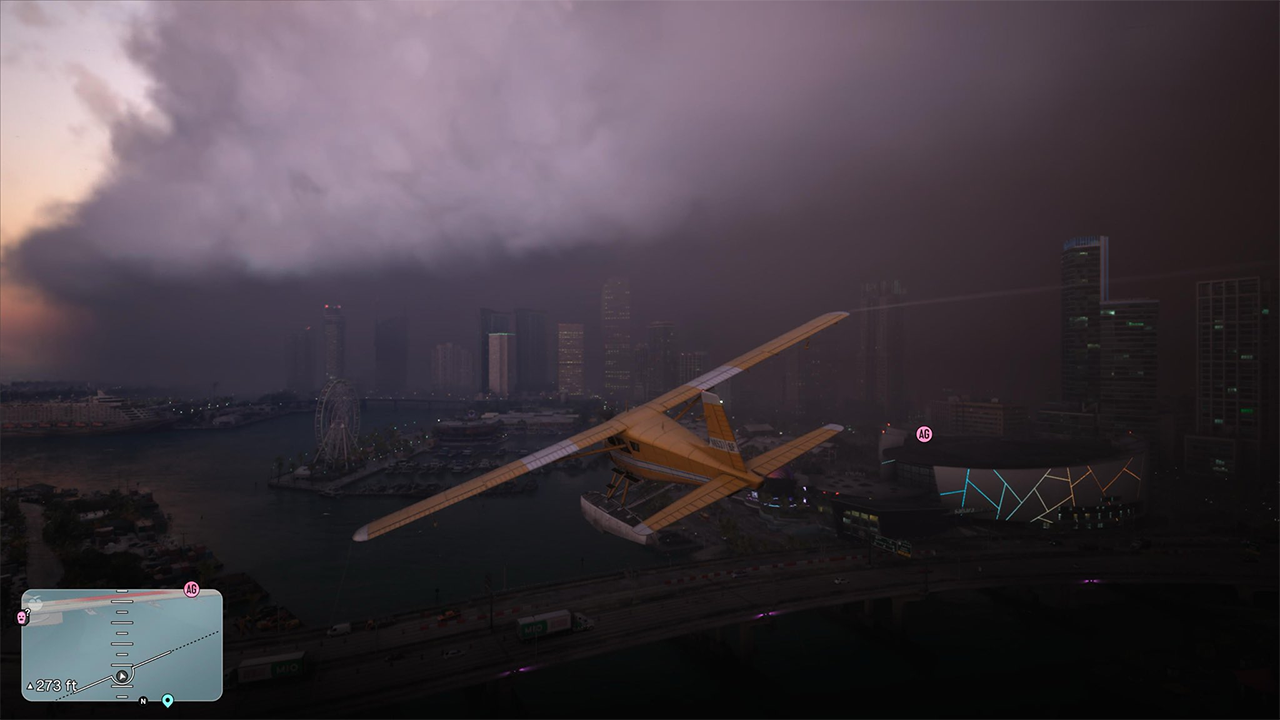
Since 25 November 2026, PS5 players report that clearing the console's system cache from Safe Mode brings rain and storms back to GTA 6 saves that had stayed sunny for days, and IGN states the operation deletes temporary system files only, not saves, games or screenshots.
Yes, clearing the PlayStation 5 system cache does appear to restart Leonida's weather. On 25 and 26 November 2026, players reported that a cache clear performed from the console's Safe Mode menu, followed by a restart, brought rain and storms back to saves that had stayed under clear skies for days. RockstarINTEL published the procedure on 26 November, IGN and TalkEsport followed the same day, and none of them presents it as an official Rockstar fix.
What the 23 November patch was meant to do
Update 01.002.002 landed on 23 November, four days after launch, at 603.8 MB on PS5 and 1.6 GB on Xbox Series X|S. Among its seven changelog lines, one reads "fixed an issue that prevented the weather from changing for extended periods". Rockstar published that list at 14:50 GMT, five hours after the file began rolling out.
The line answered a question players had been asking since launch day, when Leonida stayed sunny through the first weekend and some began to suspect the dynamic weather system did not exist. It failed to settle the matter: IGN and TalkEsport both note on 26 November that a share of players still saw almost no change after installing it, rain and storms remaining rare.
The Safe Mode route, step by step
The operation is short and entirely local to the console, which is why it spread quickly. RockstarINTEL and TalkEsport list the same sequence:
1. Turn the console fully off. Rest mode does not work.
2. Press and hold the power button until it beeps a second time. Insider Gaming puts the wait at around seven seconds; that second beep is what enters Safe Mode.
3. Connect the DualSense by USB cable and press the PS button. A wireless controller will not work on that screen.
4. Select option 6, Clear Cache and Rebuild Database.
5. In the submenu that opens, choose the first entry, Clear System Software Cache.
6. Confirm with OK when the console warns that the system software cache will be cleared.
7. Let the console restart. RockstarINTEL says the operation takes a few minutes.
Two precautions are worth stating. Save your game first, as both outlets advise, because a forced shutdown costs unsaved progress. And stay out of the reset entries further down the Safe Mode menu: they restore defaults or wipe the console, and none is needed here.
What the cache clear actually erases
Nothing you would miss. IGN states plainly that clearing the cache on PS5 does not delete game saves or installed games; it removes temporary system files and lets the console rebuild clean ones, leaving saves, captures and account settings in place. That routine is what the console offers for system-feature glitches, stuttering and app launch errors.
The risk is not the operation. It is the menu it lives in: genuinely destructive reset options sit a few lines below, and a mis-scroll is the only way to turn a maintenance step into a wiped console.
The part no cache clear can fix: the chapter you are in
This is where the story gets more interesting than a simple bug report. Owen Shepherd, Rockstar's vice president of art, lighting and rendering, explained the weather design to IGN's Kirk Mckeand: "The weather types change throughout each day, and the overall weather pattern changes per chapter, evolving from generally very good weather in the first chapter to much more changeable and stormy in the last chapter." He compared the progression to Florida's own seasons, from winter through to summer and autumn, and added that "during the first chapters there are pockets of rain but due to the localization of weather it is possible to miss these."
Read that against the complaints and part of the picture shifts. A player still in the opening chapter is, by Rockstar's own description, supposed to see calm weather most of the time. A player who drives past a rain pocket in a map twice the size of GTA V's, as VGC reported, can cross a whole region in sunshine without ever meeting one. The cache fix repairs a stale state; it does not move your save into chapter five, and no procedure will.
Xbox gets a power cycle, not a Safe Mode menu
RockstarINTEL is explicit that its method is PS5-only as of 26 November and says it will cover an Xbox equivalent if one appears. TalkEsport describes what players are doing on Series X|S instead, based on Rockstar's own support guidance for clearing the console cache: shut the console down completely, unplug the power cable, wait two minutes, reconnect and power on. The same article notes that Rockstar warns these steps reset brightness and language settings, and that neither version removes saves or inventory.
One detail from that route applies to both platforms. TalkEsport reports that players advise quitting GTA 6 entirely rather than returning through Quick Resume, and several say the rain came back after a clean restart. It fits what Quick Resume does, freezing a running game's memory state and restoring it later: the kind of suspended state a stale weather cycle would survive.
Who found it, and how much weight to give it
The credits do not agree. RockstarINTEL attributes the discovery to the X user @Fallneck_Talnek; IGN credits @mauricioce85796, and Insider Gaming credits the same account for the original tip while crediting GameRoll, a Rockstar-focused account, for making it travel. The most quoted result is GameRoll's: 56 hours played without any dramatic weather, then a storm on the first load after the cache clear.
Two caveats belong in the same breath. IGN writes that "this could be a placebo", and the replies it cites are self-reported clips rather than a controlled test. Rockstar has said nothing about the procedure, and no outlet has published a sample size. A player who tries it should treat a sudden storm as a good sign, not as proof.
What to expect once you are back in Leonida
Do not judge the fix at the loading screen. TalkEsport points out that the weather remains dynamic, so time has to pass before the next front arrives: some players got a storm immediately, others hours later, and a few now find the transitions too abrupt. Because weather is regional, standing in a dry district proves nothing; drive to another part of the map before deciding the fix failed.